HubSpot built around your real sales process.
We configure HubSpot so your team knows exactly what to do next: clean lifecycle stages, deal pipelines, automated follow-ups, reporting dashboards, and integrations that remove manual admin.
What raises confidence
A HubSpot setup that feels organized from day one.
The page should show that implementation is not just installing software. It is designing the operating system your sales team will use every day.
CRM architecture
Clean objects, properties, lifecycle stages, deal stages, and ownership rules.
- Contacts and companies
- Deals and pipelines
- Required fields that matter
Workflow automation
Automations that reduce manual work without making HubSpot hard to maintain.
- Lead routing
- Follow-up tasks
- Internal alerts
Team adoption
A CRM only works if people use it. The setup should make the next action obvious.
- Simple views
- Clear ownership
- Training and handoff
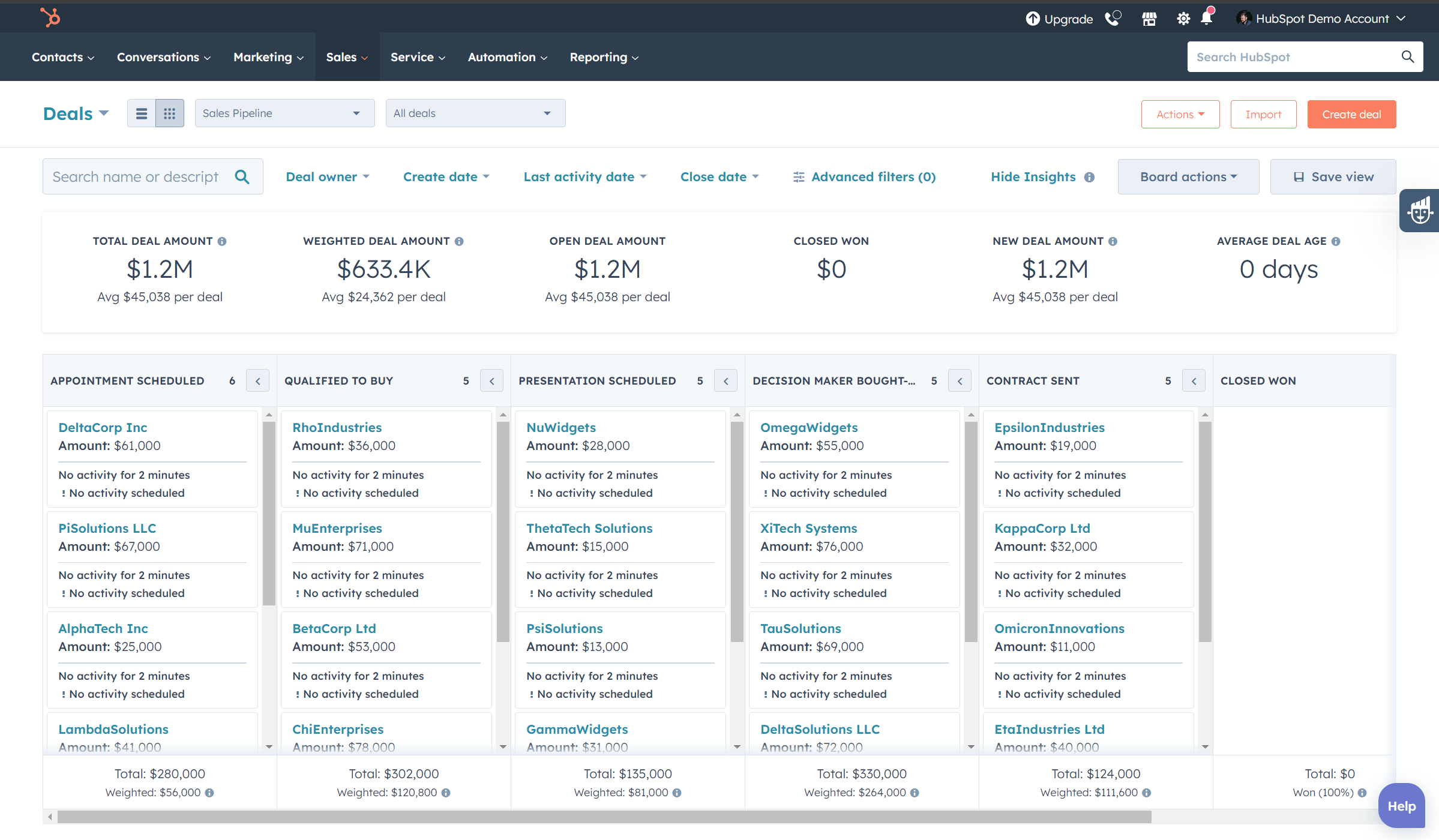
Track deal value, stages, and activity from one board.
A strong HubSpot setup makes the sales process visible: deal stages, owners, close dates, activity status, pipeline value, and stuck opportunities all live in one place instead of scattered across spreadsheets and inboxes.
Revenue visibility
Open value, weighted pipeline, close dates, and won revenue are easy to review before every sales meeting.
Activity discipline
Reps can see which deals have no next activity before they go cold, and managers can coach from real data.
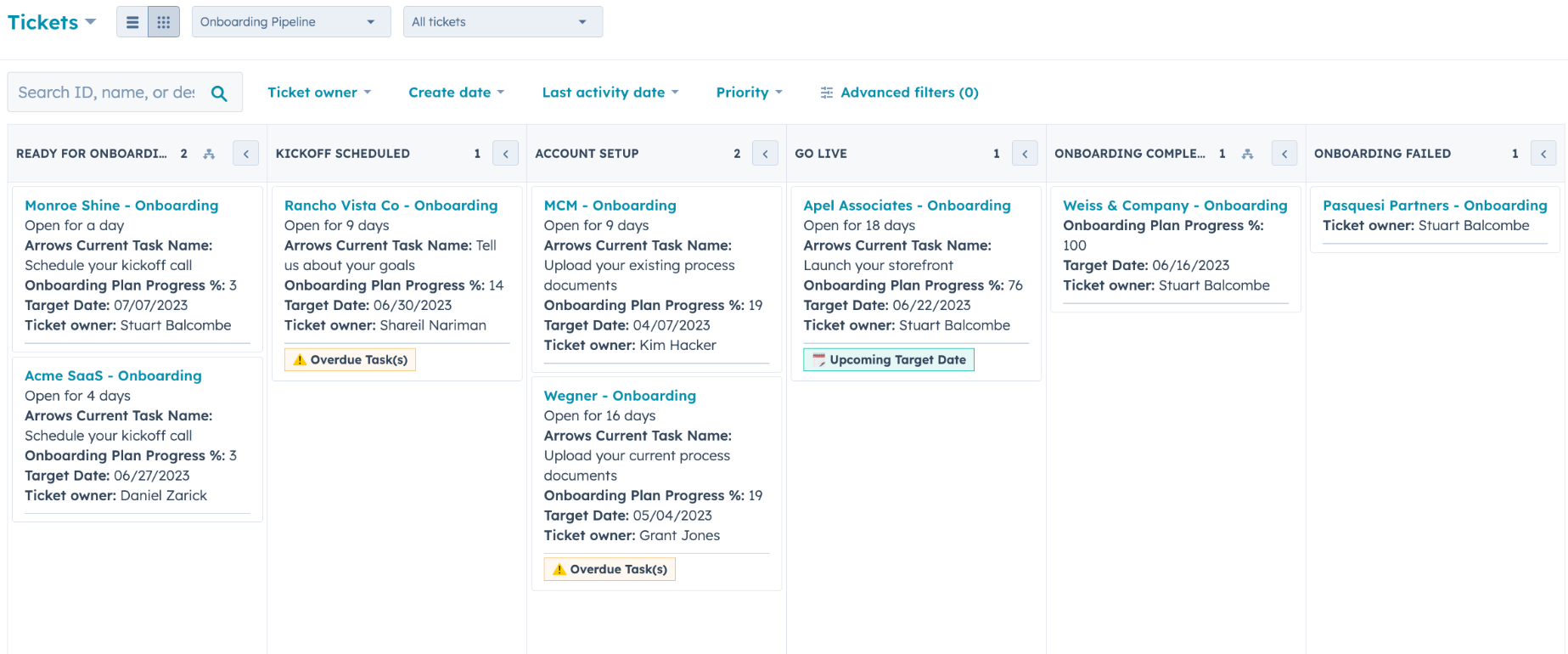
Use HubSpot beyond the sale: onboarding and delivery stay visible.
For service businesses, the CRM should not stop when a deal is won. Tickets can track kickoff, account setup, go-live, onboarding completion, owners, target dates, priority, and progress fields.
Post-sale handoff
Sales-to-delivery transitions are visible instead of buried in messages or dependent on memory.
Client progress
Every account has a clear owner, stage, target date, and next task so onboarding does not drift.
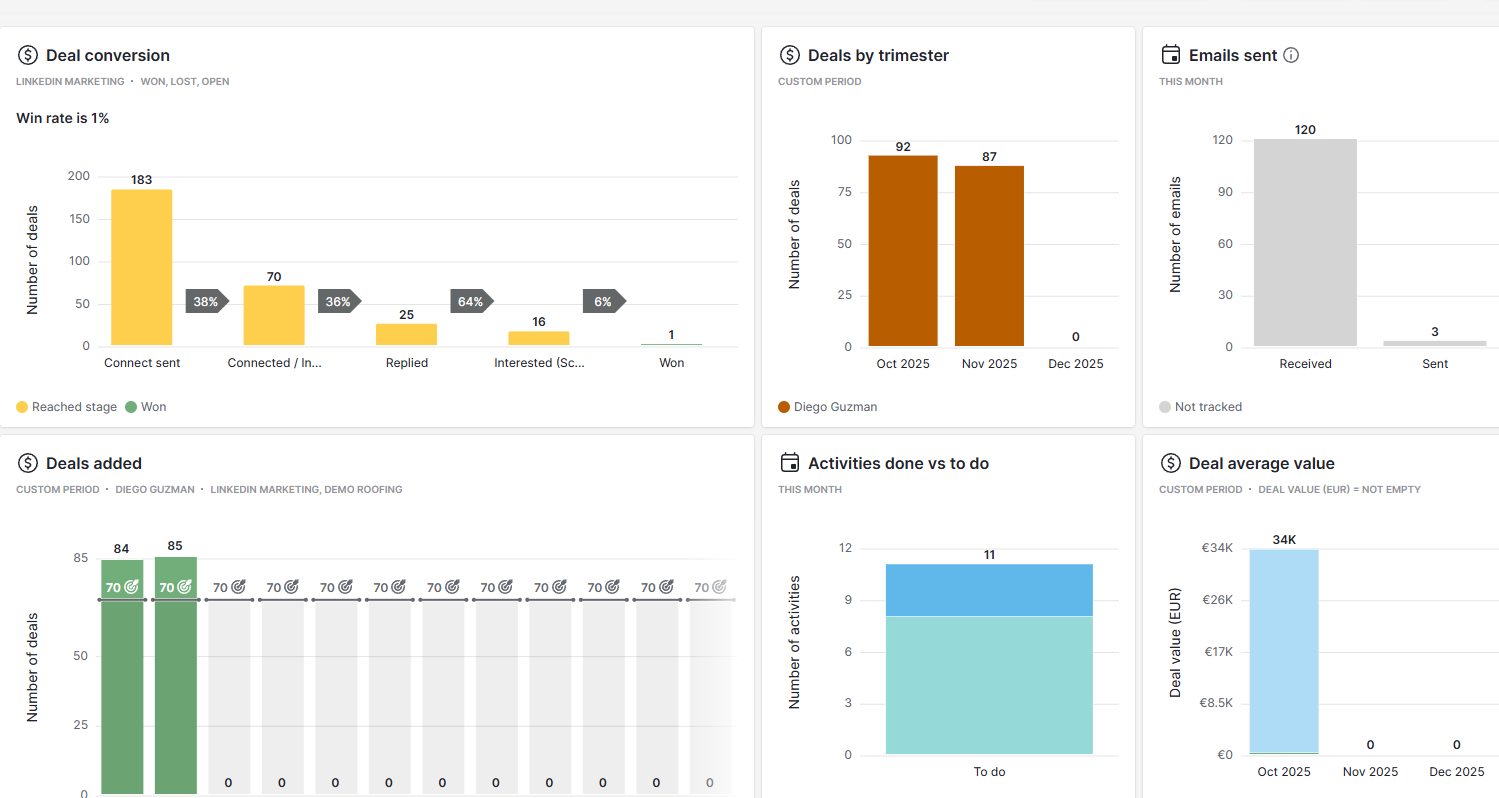
Give owners visibility without weekly spreadsheet work.
The HubSpot page should show dashboards for lead sources, deal conversion, sales activity, forecast value, and stuck opportunities. This helps buyers imagine control, not just configuration.
Sales visibility
Pipeline, conversion, won/lost, revenue by source.
Manager rhythm
Reports your team can review every week without manual updates.
Implementation process
Simple enough to trust. Structured enough to scale.
Audit
Map your current sales process, sources, follow-ups, and reporting gaps.
Build
Configure HubSpot pipelines, properties, views, workflows, and dashboards.
Automate
Connect forms, email, calendar, Slack, ads, and spreadsheets where useful.
Train
Hand over a clean CRM your team understands and can keep using.
Want HubSpot to match the way your business actually sells?
Book a free consultation and we will map the CRM structure, workflows, and reporting your team needs.
Book a free consultation